
To enroll a singel worker in a benefit you find the person you want to enroll, there are two ways to do that:
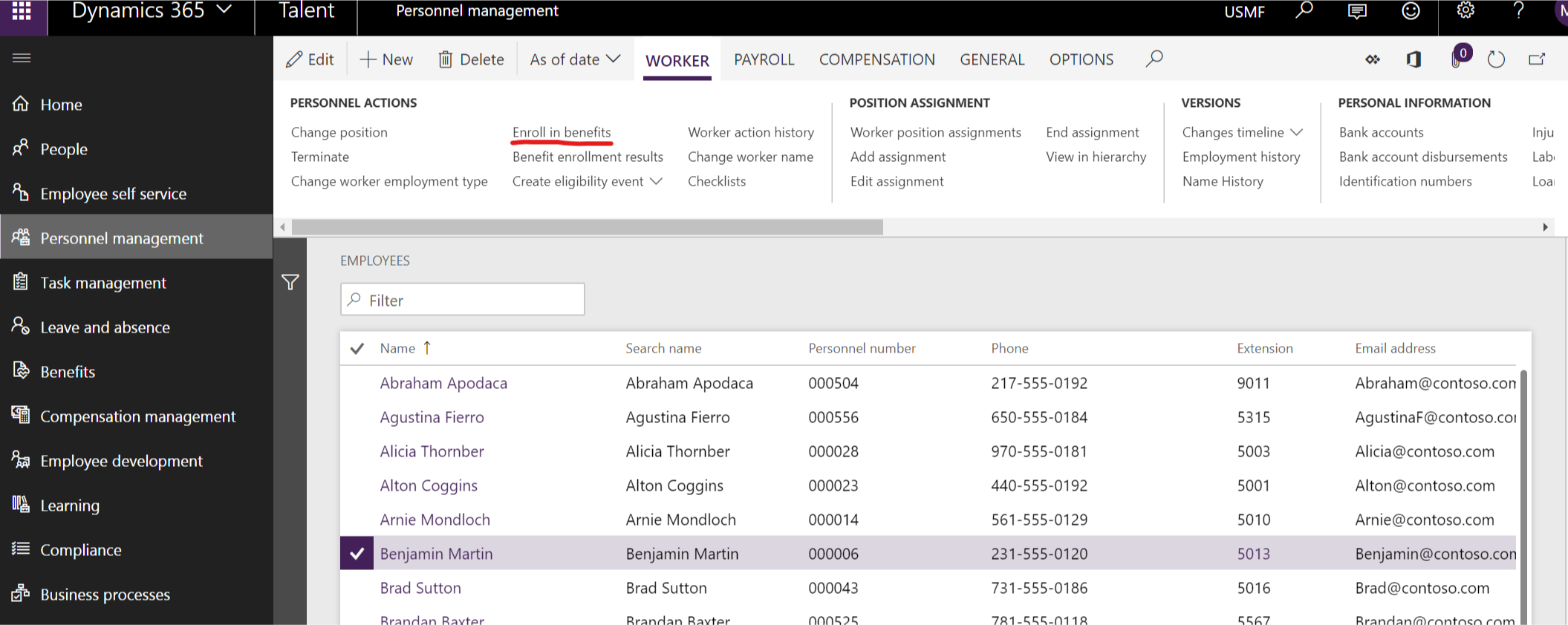
- Enroll through the personnel management workspace- links – employees
- Enroll through the People workspace – … (more) – Enroll in benefit
Enroll through the personnel management workspace
First you find the person you want to enroll in a benefit, then you click “Enroll in Benefits” and you are taken to the benefit page of that person.
Enroll through the people workspace
First you find the person you want to enroll in a benefit, then you click the … (more) and then click “Enroll in benefits” and you are taken to the benefit page of that person.

In the enrollment page you can see all the benefits that the worker has and click “+ New” to connect the worker to a new benefit.


 Malin Martnes
1 thought on “MB6-898 Enroll a single worker in a benefit”