
To determine which data source to use, you first need to consider where your data is stored. Depending on where your data is stored, you have different ways of connecting to the data.
There are out-of-the-box direct connections with the following:
- Azure Data Lake
- Azure Synapse Analytics
- Microsoft Dataverse
- Azure Data Lake – Delta tables
With other sources, you can use Microsoft Power Query (MPQ). This can for example be a none Microsoft source, or an on-premise source.
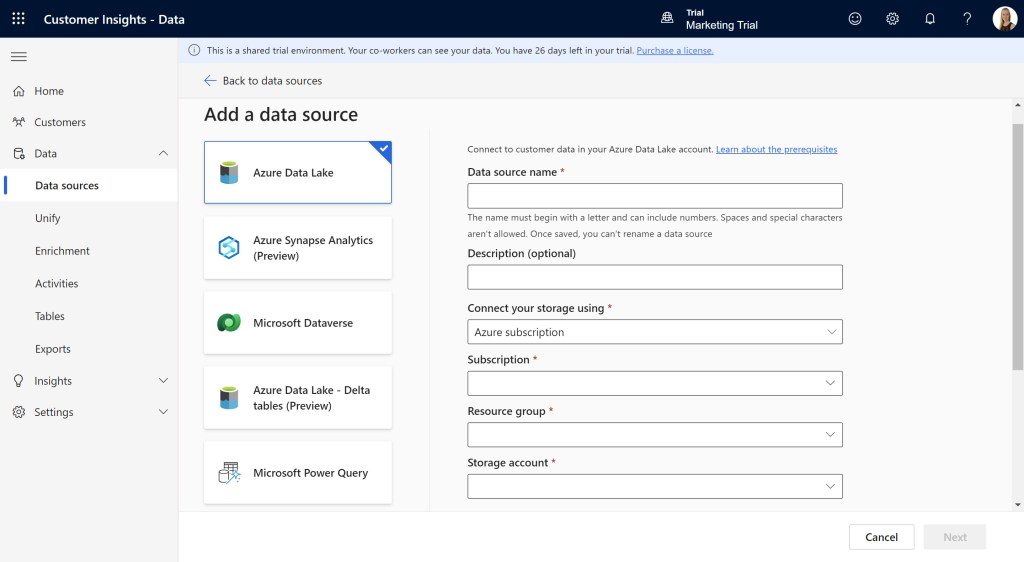
You can’t directly connect to every source with Microsoft Power Query, you can find an updated list of all the connectors working with MPQ here: https://learn.microsoft.com/en-us/power-query/connectors/. The connectors that work with CI-D have a checkmark under Customer Insights (Dataflow).
How to add and use the different data sources are topics in later posts.

 Malin Martnes
2 thoughts on “MB-260: Determine which data sources to use”