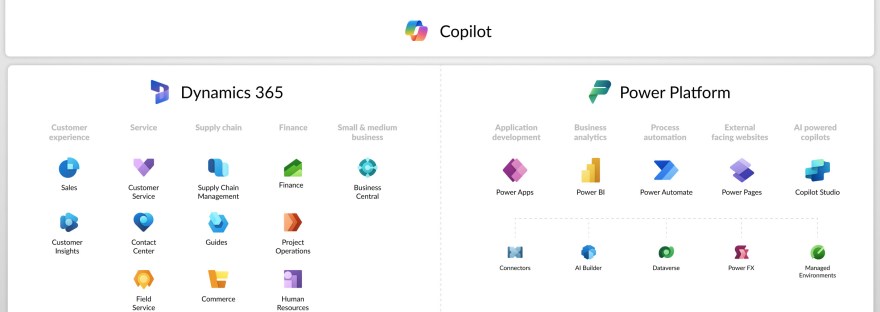
Image with all the icons of power platform and Dynamics 365
Customer Insights, Data, Dataverse, Dynamics 365, Journey, Power Apps, Power Automate, Power Platform, What is and what is it used for

What is <this tech> and what is it used for?

The blog series aims to provide an introductory guide to the Power Platform and Dynamics 365, addressing common questions about various technologies like Canvas apps, Dataverse, and Copilot Studio. It will feature insights from both AI and human experts, along with use cases from different customer sizes and resources for further learning.

Customer Insights, Journey, Power Apps

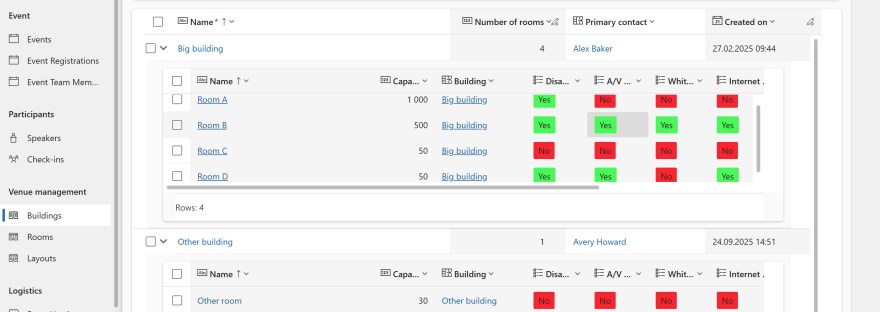
Enhance user experience with model driven Power apps

Read about a no-code enhancement for views in model-driven Power Apps. They focus on improving user experience in Customer Insights - Journeys by managing building and room data. By customizing views using the Power Apps grid control, users can efficiently access room information within buildings.

Customer Insights, Journey

Release wave 2, 2025 Customer Insights – Journey

It's time for another release wave, lets look at what Microsoft are working on for the next six months. This post goes through Customer Insights - Journeys, I also have another post about Customer Insights - Data. Like all my other release wave posts GA is general available and PP is public preview. You can… Continue reading Release wave 2, 2025 Customer Insights – Journey

Customer Insights, Data, New release

Release wave 2, 2025 Customer Insights – Data

It's time for another release wave, lets look at what Microsoft are working on for the next six months. This post covers Customer Insights - Data, I also have another post about Customer Insights - Journeys. Like all my other release wave posts GA is general available and PP is public preview. You can read… Continue reading Release wave 2, 2025 Customer Insights – Data

Customer Insights, Dynamics 365 Marketing, Journey

Automatically cancel event registrations

The post discusses the implementation of an event cancellation feature by Microsoft, greatly anticipated by users. It outlines the process for creating a cancellation button linked to an email, customizing confirmation emails, and managing event statuses.