Power Platform Connectors Icon
Power Platform, What is and what is it used for

What is Connectors and what is it used for?

This blog explains connectors within the Power Platform, which facilitate connections between applications and external data sources. Connectors allow automated data exchanges and integrations, making processes smoother without coding. Users can utilise existing connectors or create custom ones to meet specific needs, enhancing functionality in various Microsoft tools.

Dataverse, Power Platform, What is and what is it used for

What is Dataverse and what is it used for?

Dataverse is a cloud-based data platform by Microsoft that organizes and manages business information securely. It serves as the foundation for apps and workflows in Power Platform and Dynamics 365, providing a common data model, role-based security, and integration capabilities, ensuring consistent access controls and data governance for organizations.

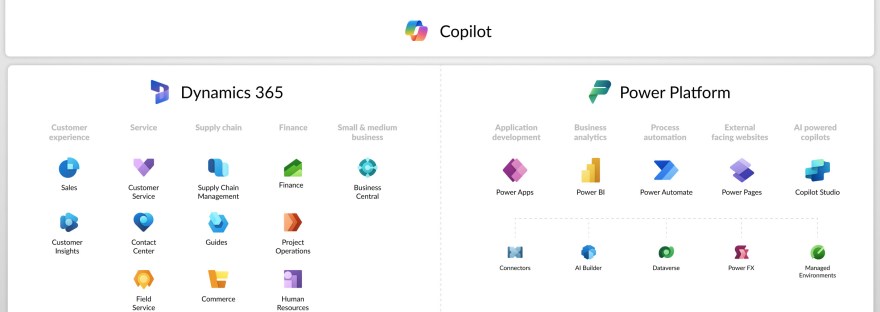
Image with all the icons of power platform and Dynamics 365
Customer Insights, Data, Dataverse, Dynamics 365, Journey, Power Apps, Power Automate, Power Platform, What is and what is it used for

What is <this tech> and what is it used for?

The blog series aims to provide an introductory guide to the Power Platform and Dynamics 365, addressing common questions about various technologies like Canvas apps, Dataverse, and Copilot Studio. It will feature insights from both AI and human experts, along with use cases from different customer sizes and resources for further learning.

Customer Insights, Data, New release

Release wave 2 2024 – Customer Insights – Data

Release wave 2, 2024 introduces new features for Customer Insights - Data until March 2025. Key highlights include Delta Lake format for faster insights, automated segment and measure management, Microsoft OneLake and Dataverse integration, and generating insights from marketing interactions. These updates aim to simplify data management and improve customer insights.